



Sendmail
Integrate Sendmail with LiveAgent for secure, efficient email routing and enhanced customer support. This open-source solution supports various mail-transfer me...
3 min read



Zentyal is a Linux-based email server and groupware solution for SMBs, offering Microsoft Active Directory compatibility, antivirus/antispam protection, and integration with LiveAgent for enhanced customer support through a unified ticketing system.
Zentyal is an email server and groupware solution based on Linux. It has a free-to-download development addition and available source code. Zentyal comes in two packages – Zentyal Server for SMBs and Zentyal Cloud for hosting providers. The email server solution is primarily for companies with some skill and experience with installing and maintaining email servers. Zentyal offers antivirus and antispam protection, as well as calendar and contact features.
Zentyal is an email server solution suitable for companies with skilled teams that know how to set up, configure and maintain email servers. It comes with native compatibility of Microsoft Active Directory so you can easily manage clients. Zentyal provides customer support for all customers whenever they need help, however it is easy to use even without help. The website offers documentation with many topics about the solution, as well as a customer portal.
LiveAgent ticketing system can integrate your virtual mail domains into one dedicated solution for customer support. Take advantage of many productivity features such as a universal inbox that stores customer communication from any channel, or predefined answers that allow you to reply faster. Split tickets when you encounter an elaborate issue or set up rules to create various automations that take care of tasks.
You can also add more than just an email. Create a digital call center, set up a live chat widget for your website, build a customer portal with a knowledge base, or add your social media accounts from Facebook, Twitter, Instagram, WhatsApp and Viber. Each communication channel is supported by a variety of productivity features that make sure your workflow will be organized and easier to do.
LiveAgent’s ticketing system can be integrated with Zentyal via IMAP/POP3. The configuration settings for LiveAgent make this option readily accessible. The following step-by-step guide will help you integrate Zentyal with your ticketing system.
Do you need to install Zentyal first? Simply go to the Zentyal website and choose a plan that suits you. A helpful customer portal section is available on Zentyal’s website, including an installation guide. If you have Zentyal access and have already configured it, switch to LiveAgent and continue with the next steps.
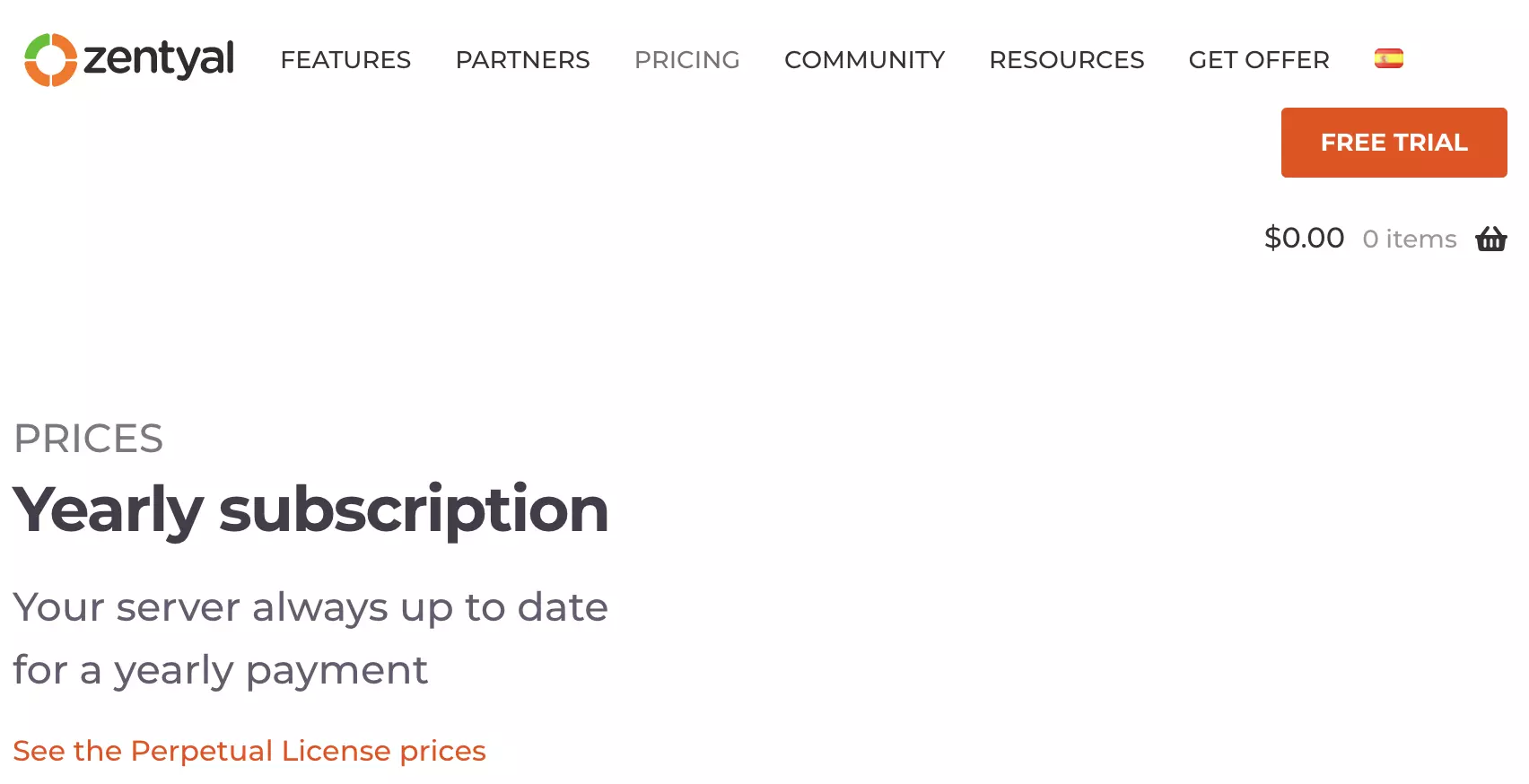
Zentyal prices
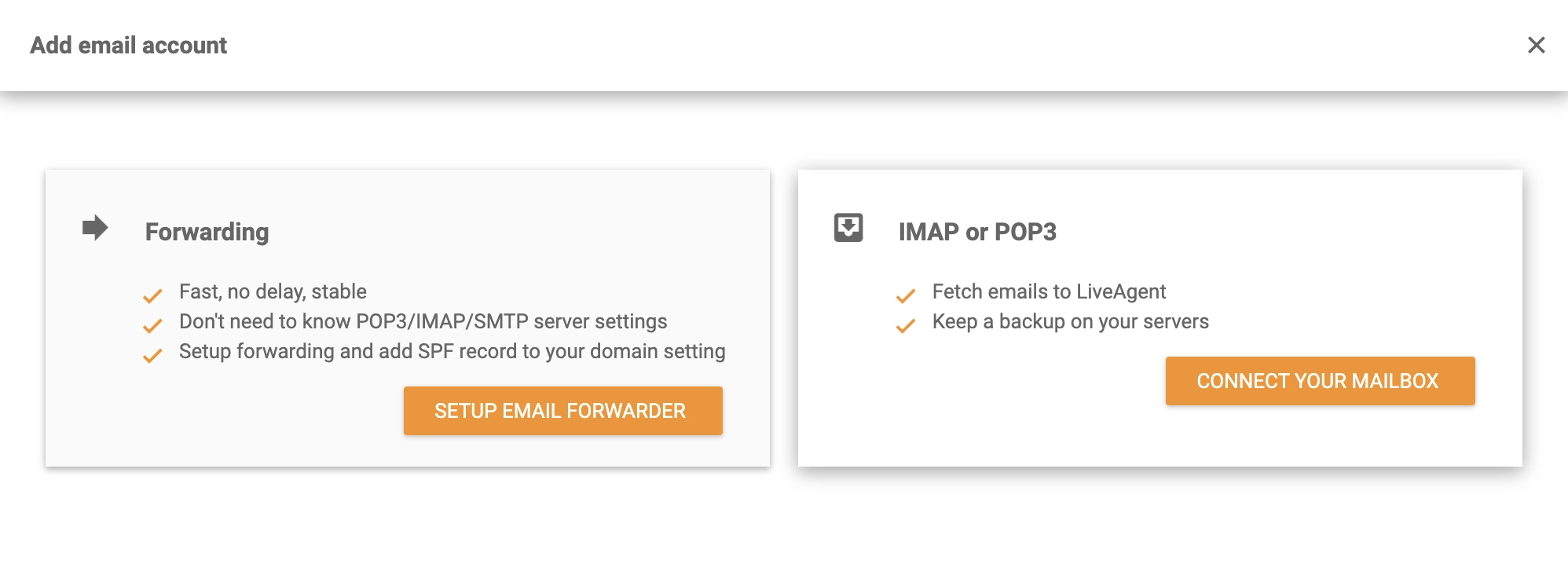
Now that Zentyal is configured and ready for use, navigate to your LiveAgent account. If you don’t already have one, start a free trial. Click the top Create button under Configuration > Email > Mail Accounts. You’ll see a list of available email providers. Click Other at the bottom and then IMAP/POP3 in the next window.
To successfully integrate Zentyal, you need to provide LiveAgent with the Zentyal details. You must provide a username, password, and email address. Once those are entered, select the method of fetching along with the server information and port. Remember to choose the department responsible for handling tickets from the email address you’ve entered. Then, click the Save button at the bottom of the window to complete the configuration.
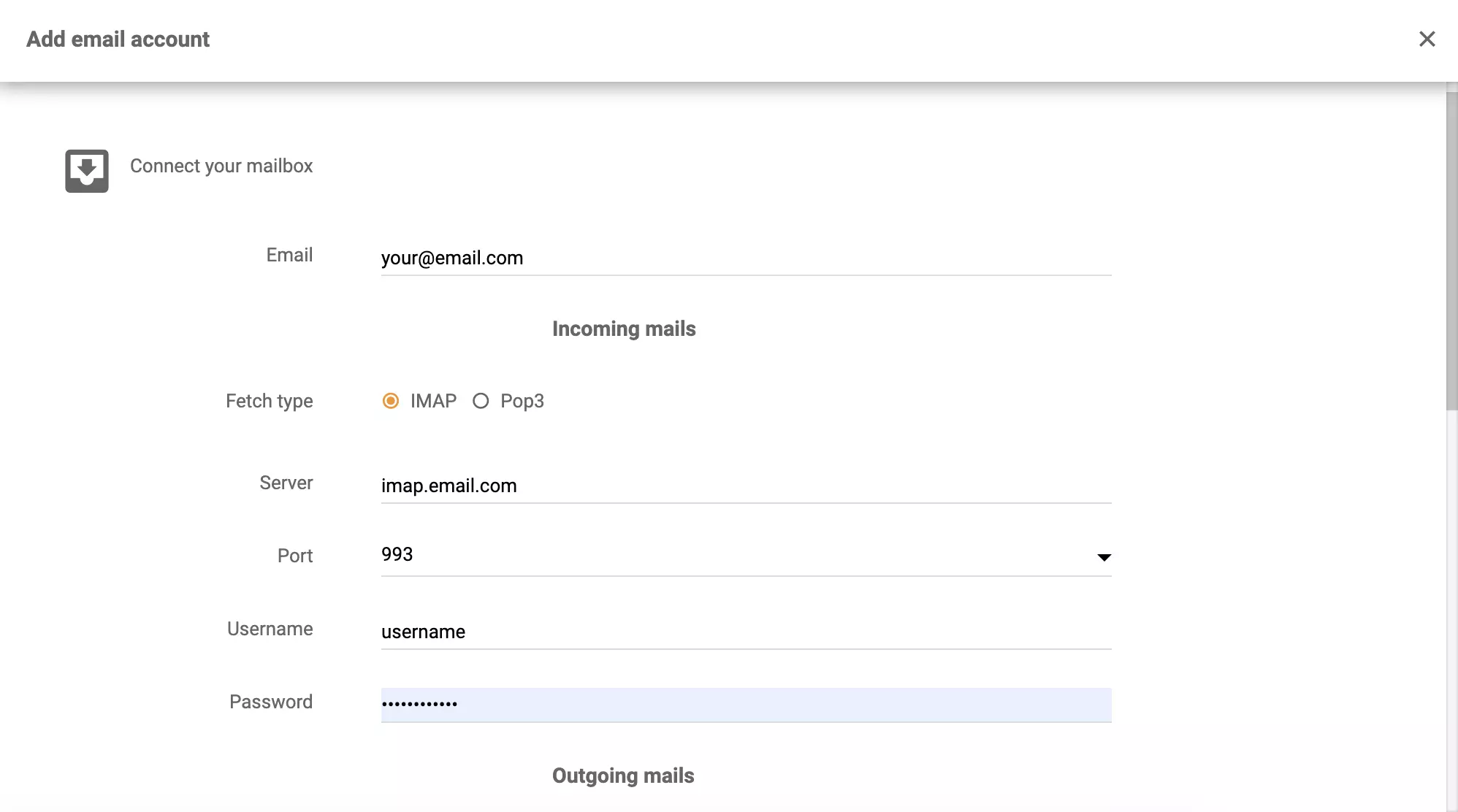
Zentyal integration
Now, everything is set. Zentyal emails will now be retrieved by LiveAgent from your ticketing system. See what LiveAgent can do in the video below. Additionally, you can review the features page for additional options, as well as the Academy page for more information on customer support.

No problem! LiveAgent offers a 30-day free trial where you can test the free Zentyal integration!
Integrate Sendmail with LiveAgent for secure, efficient email routing and enhanced customer support. This open-source solution supports various mail-transfer me...
MailEnable is a leading Windows email server offering secure IMAP, POP3, and SMTP support, with seamless integration with Microsoft Outlook and LiveAgent for en...
Zentap is a marketing solution and website builder for real estate agents, featuring lead generation, social posting, and branded video content. Integration wit...
Join our community of happy clients and provide excellent customer support with LiveAgent.
