



Real-time Chat
Discover the benefits of real-time chat with LiveAgent, offering immediate, personalized communication through text, pictures, videos, and audio. Enhance custom...
2 min read
Customer support
Live Chat
+1


Speed up your live chat with real-time typing view. See what customers are typing before they send messages. Prepare faster responses and boost customer satisfaction with LiveAgent’s real-time typing preview feature.
One way to speed up your chat is to activate a feature called real-time typing view. In other words, it is a feature that allows your agents to preview the text a customer is typing at the moment.
Overall, this feature can give your agents the necessary time to analyze the situation and provide an accurate answer faster.
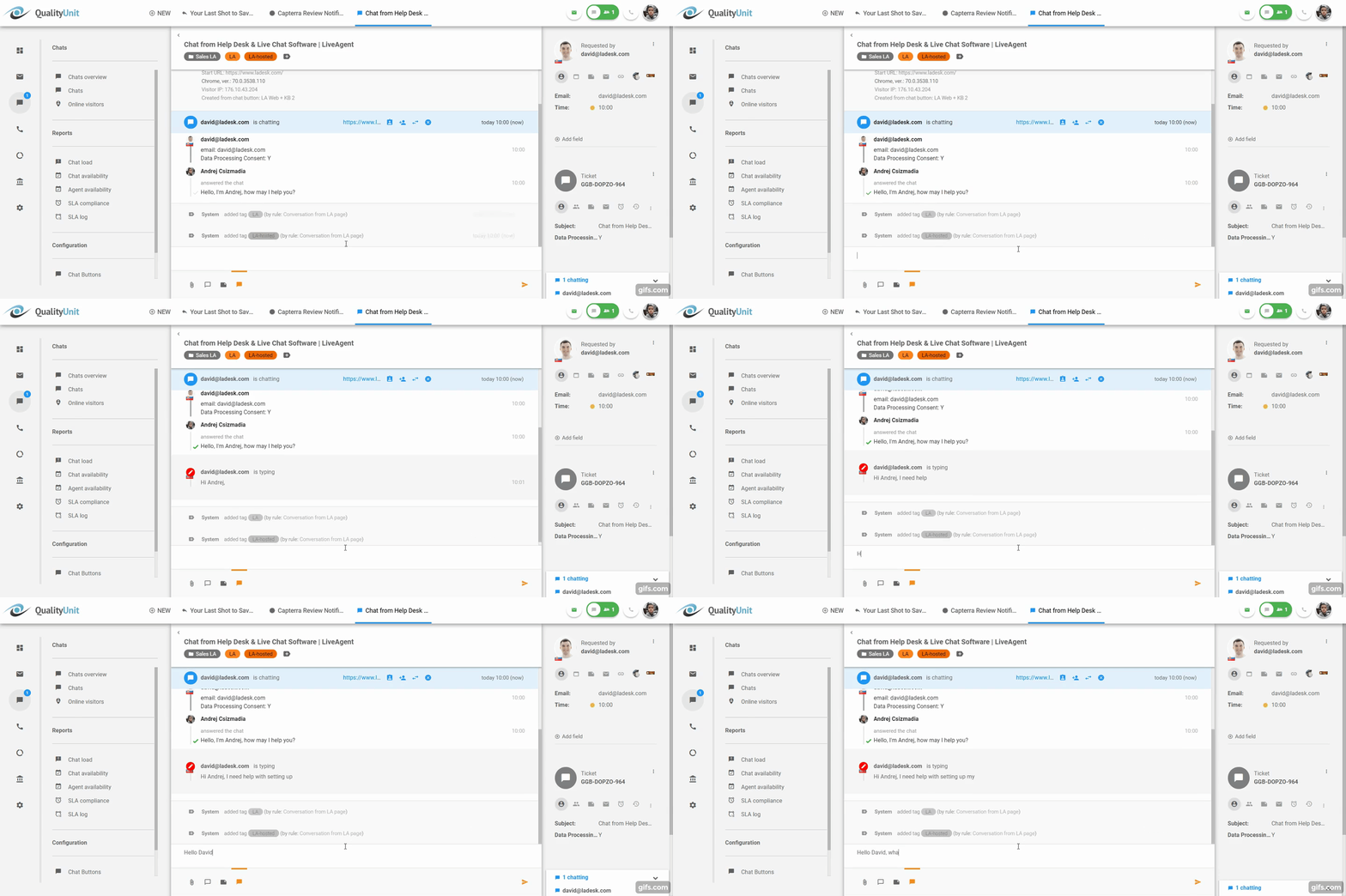
Many companies such as PayPal or IKEA use a message sneak-peek feature to provide stellar customer service. Not only does it help your typing agents to find a solution faster, but it also gives them the ability to multitask. Thus, increasing their overall efficiency.
Before the customer clicks the “Send Message” button, agents can preview what the customer is typing in real time. This live chat typing preview allows agents to anticipate questions and deliver faster responses. Additionally, real-time chat monitoring enables supervisors to oversee chat interactions, ensuring quality and timeliness.

Therefore, giving you more time to prepare an answer or solution to the customer’s problem. Customers appreciate quick and precise answers.
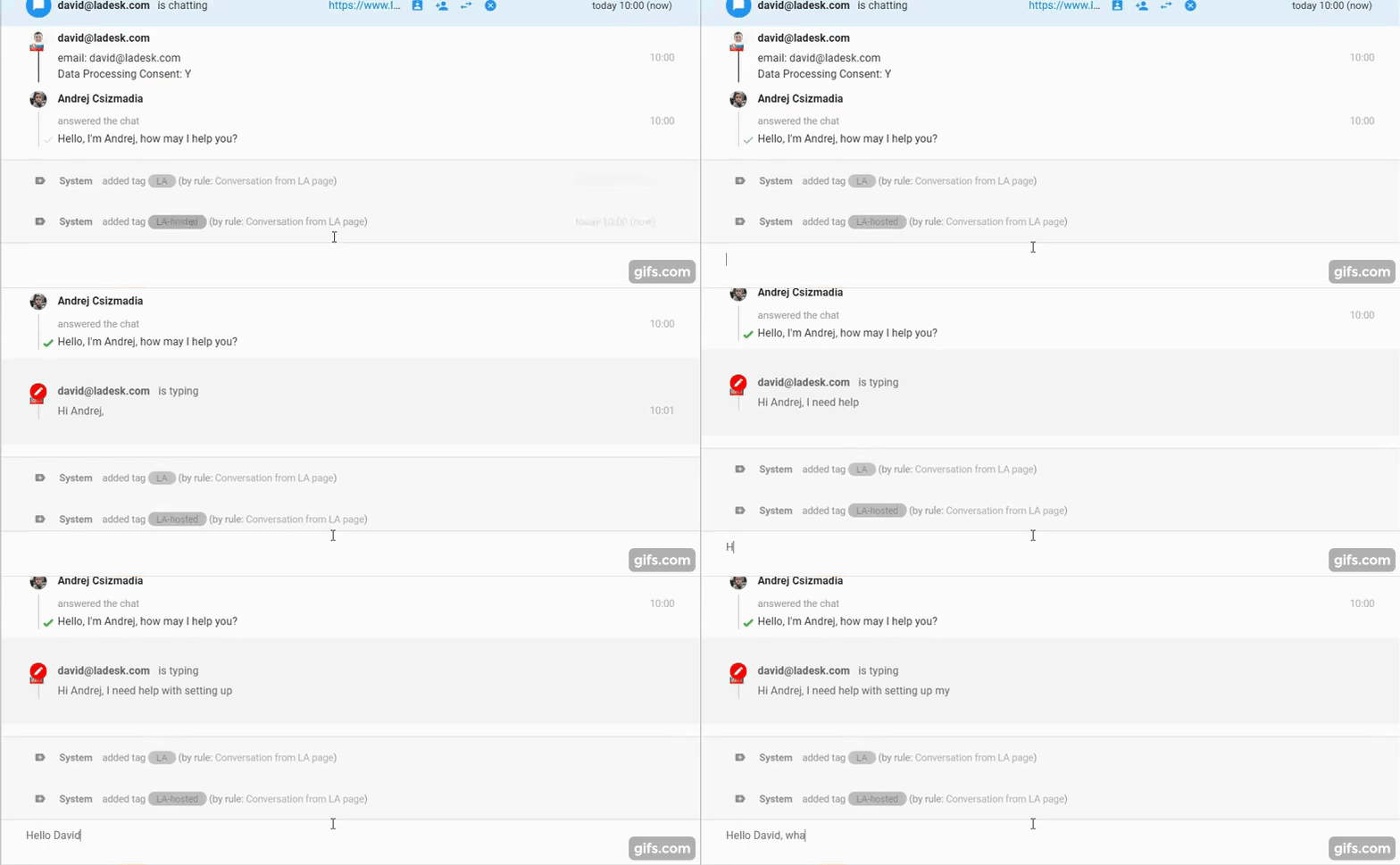
In the picture above, you can see an Agent asking the visitor: “Hello, I am Andrej, how may I help you?” In real-time, you can see what the visitor is typing: “Hi Andrej, I need help with..”
Meanwhile, the Agent can prepare his answer.
To view the message sneak-peek on live chat in real-time, you need to:
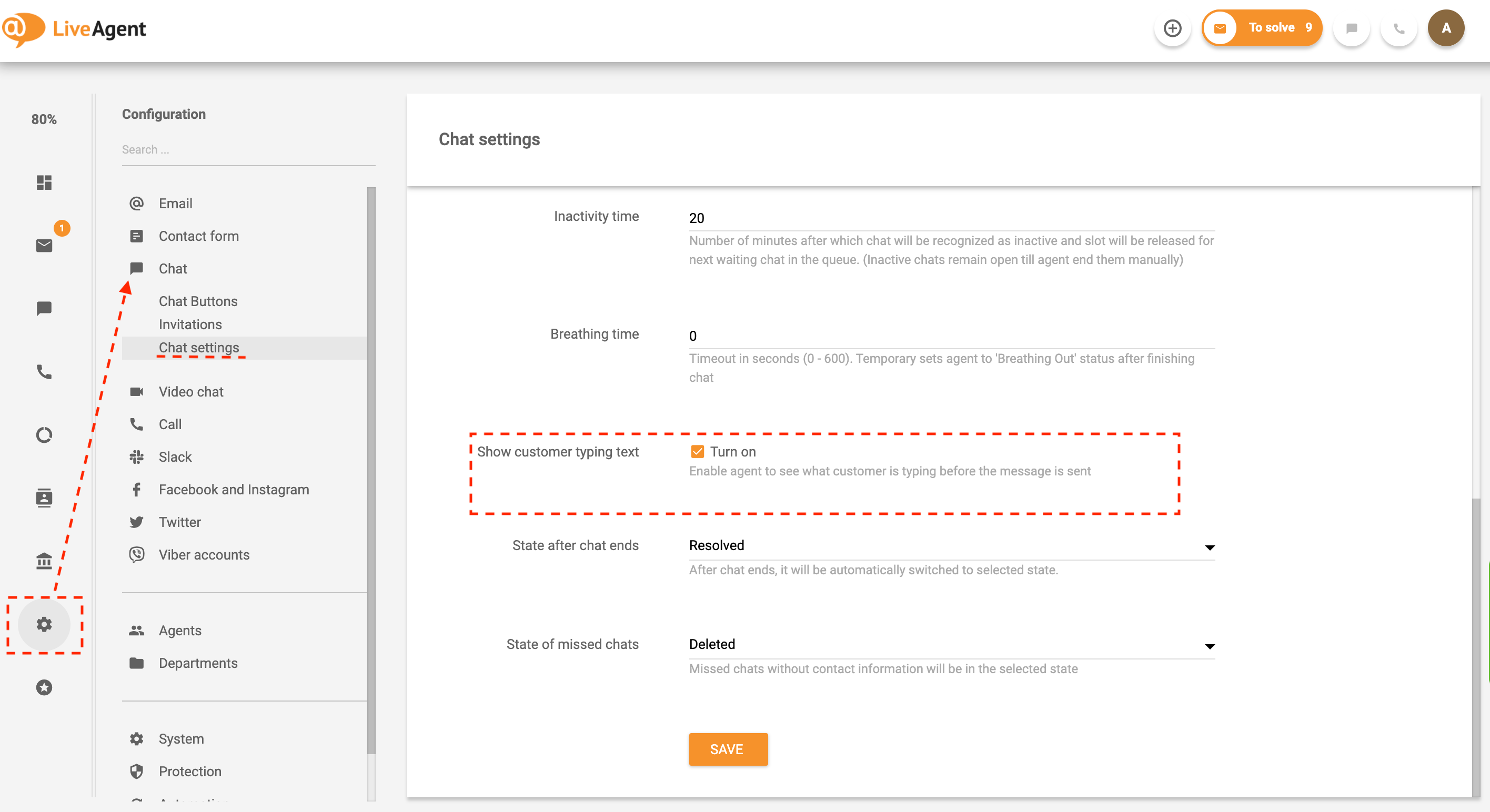
This feature is optional. Therefore, if you would like to deactivate it at some point, you can do it the same way.
If you would like to know more, read How to set up a live chat – LiveAgent.
Would you like to improve the typing time of your customer service?
LiveAgent provides a free live chat typing test to help your agents improve daily.
Discover LiveAgent's powerful features that streamline communication, increase efficiency, and boost customer satisfaction.
Discover the benefits of real-time chat with LiveAgent, offering immediate, personalized communication through text, pictures, videos, and audio. Enhance custom...

LiveAgent's real-time chat tool enhances customer interaction with instant responses, boosting satisfaction and conversions. Features include mobile chat, file ...

Enhance your e-commerce business with LiveAgent's live chat software, offering 24/7 customer support, easy website integration, and robust security features. Bo...
Join our community of happy clients and provide excellent customer support with LiveAgent.
